
How to Delete Your Dapy Account
To delete your account from the Dapy app, follow the steps below. Account deletion is permanent and removes all associated personal data.
Step 1: Go to Profile
Open the Dapy app and tap Profile.
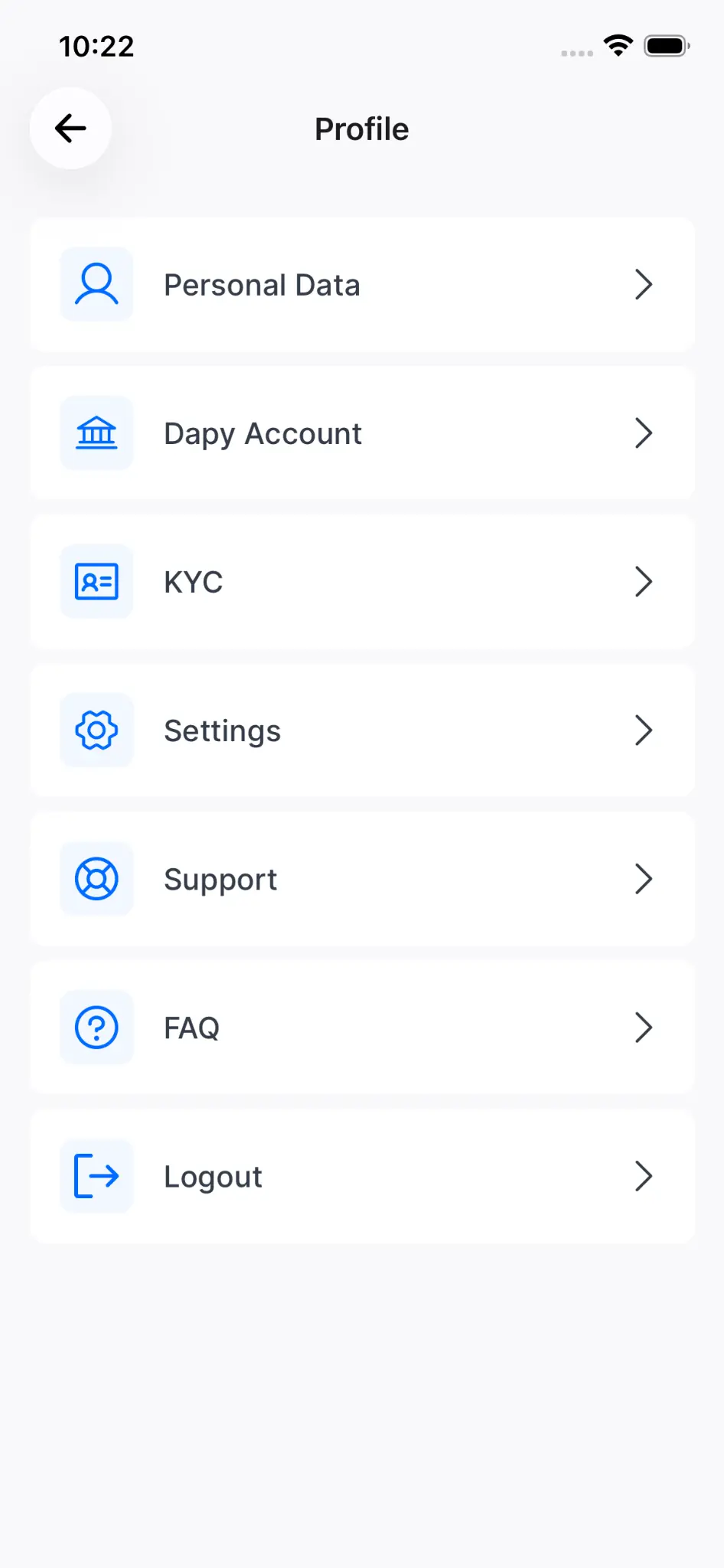
Step 2: Navigate to Settings
Tap Settings inside your profile.
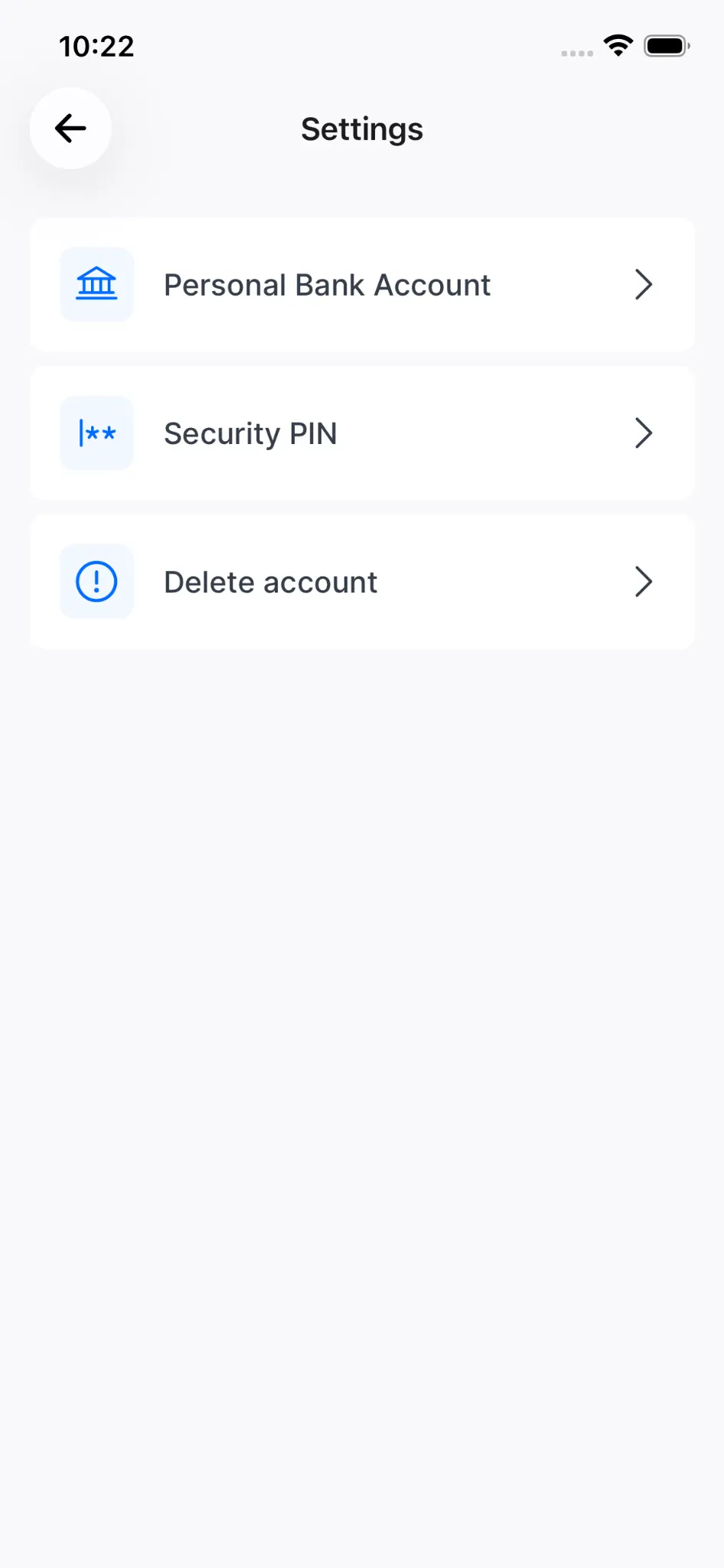
Step 3: Open Delete Account
Select Delete account.
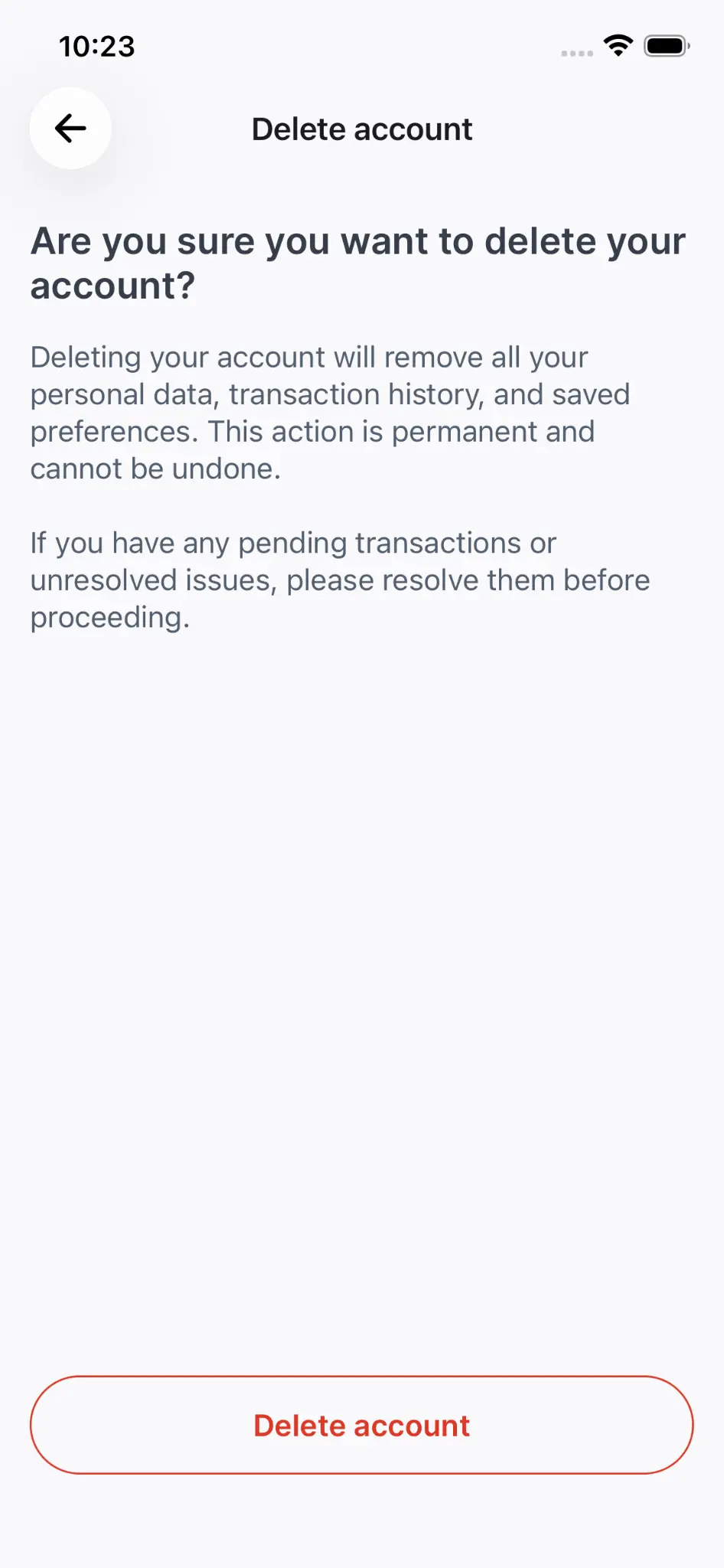
Step 4: Confirm Deletion
Tap Delete account and confirm.
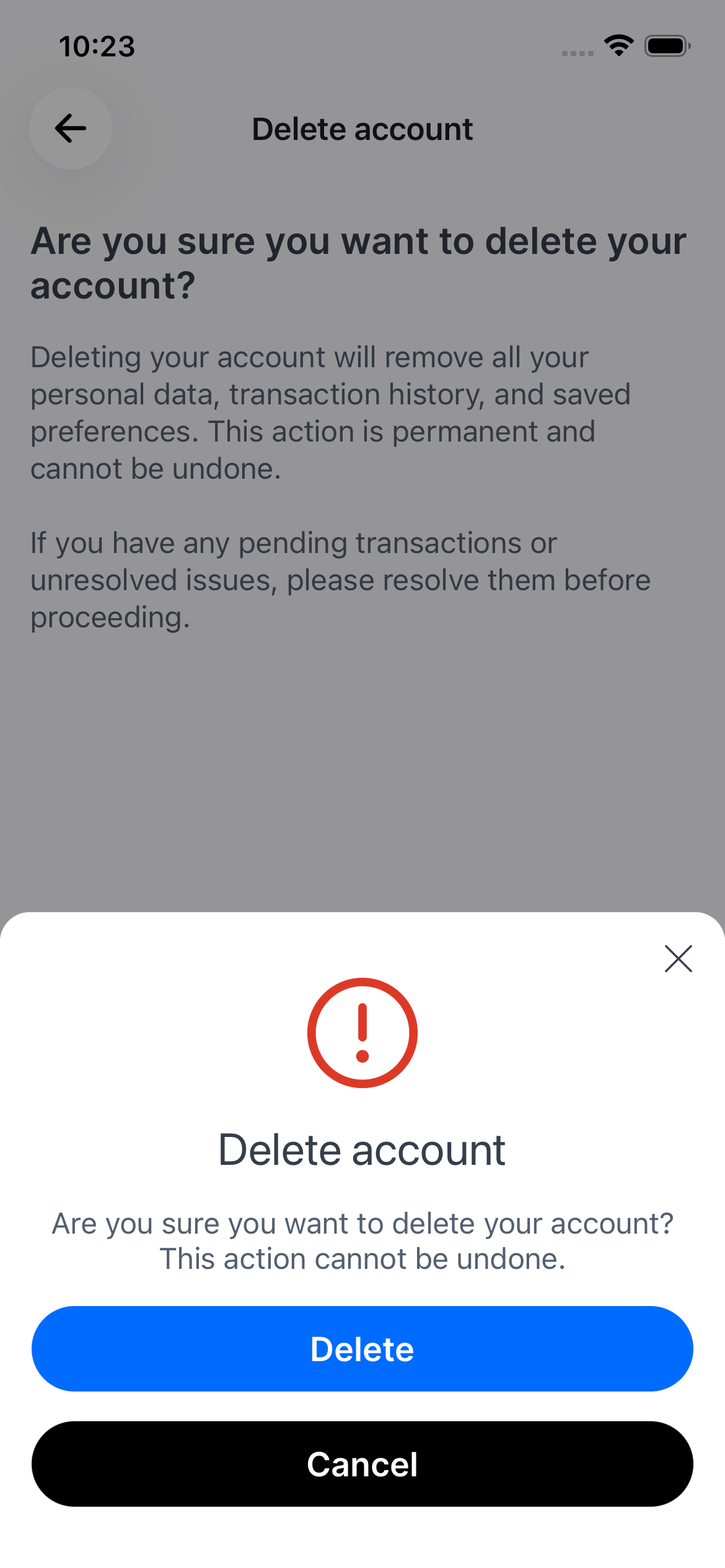
Important
Account deletion is permanent and cannot be undone. Ensure all pending transactions are resolved before proceeding.